Happy New Year to everyone, may stocks and website traffic surge!
The content of this issue is more news-oriented, so it shouldn’t be too difficult to read, but "Check how Google renders web pages",as well as"Python Scripts overhaul"These two articles are recommended for everyone to try and browse them by yourself. My eyes lit up when I saw them!
- Snippet information retrieval officially launched in February
- Google provides more information about domains on the SERP
- Discover reports in GSC will be included in Chrome data
- Rumor: GSC adds more filters (web experience, registration content...etc.)
- 24 skills that SEO workers should possess (by Kristina)
- Google will ban e-commerce websites with different checkout amounts
- Tip: See if Google has rendering issues in full
- Web Stories adds animation and AdSense features
- Case: Internal links increase web page traffic by 7%
- Official Video: 12 Tips and Things to Know About Image SEO
- SEO – Python Scripts Compilation
Snippet information retrieval officially launched in February
last yearSearch OnActivityThe mentioned progress of Google's ranking algorithm was originally expected to be launched at the end of 2020, but it did not materialize.Finally, in February 2021, the official account confirmed that this update has been officially launched. It started with English searches in the United States and gradually expanded to every language in the world. After the complete launch, it will affect about 7% of search terms.

link:Introduction to fragment information retrieval
Google provides more information about domains on the SERP
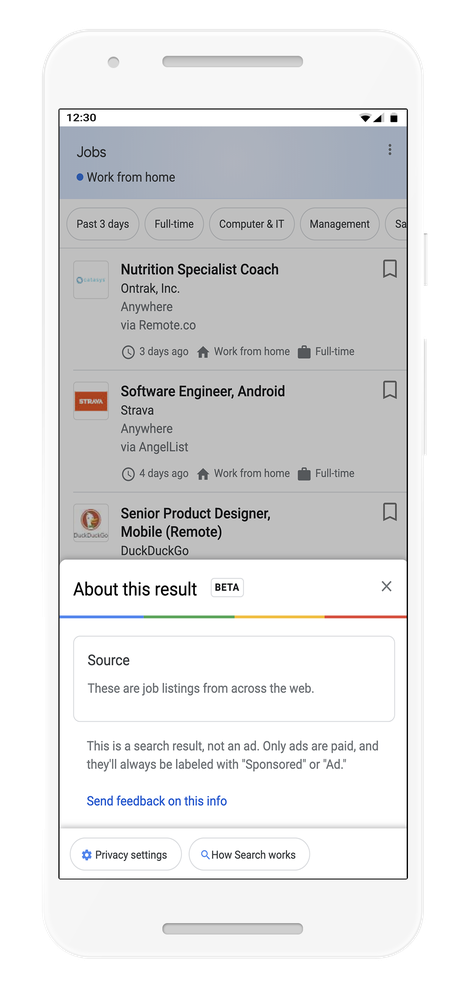
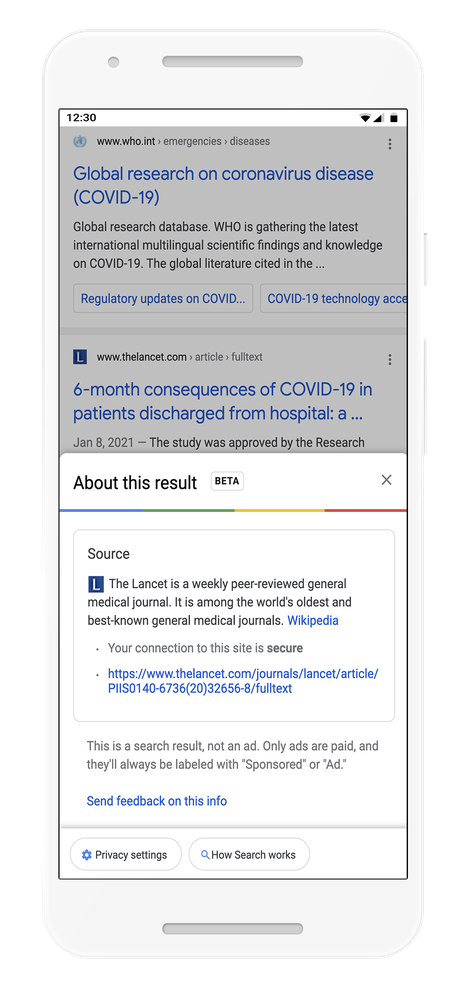
There will now be a mark in the upper right corner of the search results, allowing users to click to see more information about the "website". The source of this information is Wikipedia, so for larger websites, the description on Wikipedia will be more important, and attention should be paid to reputation management in this area.
This feature is currently available in English search results in the United States and appears on both computers and mobile devices.
Discover reports in GSC will be included in Chrome data
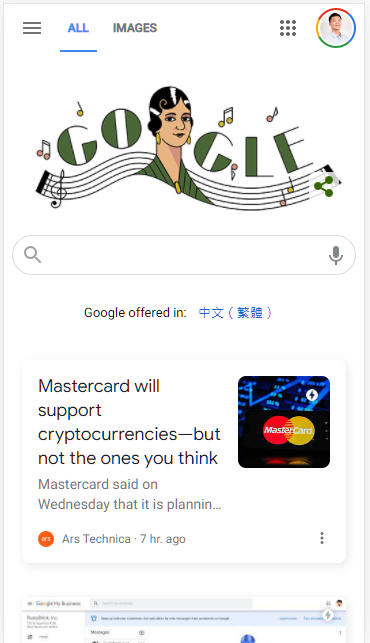
When the mobile version of Chrome opens a new tab, it will actively recommend web pages (articles) below. This part of the traffic will also be recorded in the Discover report in Search Console in the future. However, currentlyno wayDistinguish Discover traffic from different sources (Chrome or Google App).
link:Official announcement / SER report
Rumor: GSC adds more filters (web experience, registration content...etc.)
When JR Oakes dug into the code of Google Search Console, he saw signs that future filters might add "Page Experience", "Subscribed Content", "Cross-language results", and some new conditions that are not currently available.
Twitter/X Post
View original post on Twitter/X
This is just a possible update dug up through reverse engineering. It does not mean that it will definitely be realized. No one knows the exact definition of each condition, so everyone can just treat it as a rumor.
Google has said in the past, “All three CWVs achieve excellent web pages, and there will be an icon indicating "may" in the search results.”, the Page Experience filtering in the message seems to have something to do with this news.
link:SER report、GSC code source、About Core Web Vitals
24 skills that SEO workers should possess (by Kristina)
Kristina Azarenko has compiled 24 core SEO skills that she considers. The PDF has a more detailed introduction and the reasons why she thinks they are important. I think it is very suitable for people who are not familiar with SEO and know what skills are needed.
Hard Skills
- Keyword/Intent research
- Competitor research
- On-page SEO
- Technical SEO
- Mobile SEO
- Link building
- Google algorithms
- HTML
- CSS
- JavaScript
Soft Skills
- Curiosity
- Critical thinking
- Strong communication skills
- Networking
- Responsibility
Tools
- Google Search Console
- Google Analytics
- Google Tag Manager
- Google Data Studio
- Google Sheets/ Excel
- Screaming Frog
- Moz
- Ahrefs
- SEMrush
link:Full PDF
Google will ban e-commerce websites with different checkout amounts
Google did itAn announcement, starting from 4/6, if during the checkout process, the e-commerce website will receive a warning if the checkout amount is higher than the price announced in the advertisement or webpage, and the Merchant Center account may be suspended as a result.
There was such an article in the Wall Street Post last year Report by, many e-commerce websites found that a person named John Smith would add items to the shopping cart but not check out, and would repeat this behavior, causing trouble in analysis. Finally, it was discovered that Google automatically added the items to the shopping cart in order to ensure that the final checkout amount matched the price on the page.
Tip: See if Google has rendering issues in full
This is a little trick I learned recently. You can use URL Inspection in GSC to see the rendered HTML of the web page, as well as screenshots.However, the screenshot can only slide to a certain extent and the rendering of the entire page cannot be seen., and through the following method, you can see what the entire web page looks like in the eyes of Google!
- Go to the page to be tested
- Open Chrome DevTools > Elements
- Right click <html> > Edit as HTML
- Select all and delete
- Copy the HTML given by URL Inspection
- Paste it back into Chrome DevTools to see what the web page looks like as seen by Googlebot
Because GSC gives the rendered HTML, it is already known that those resources failed to load, and this step further uses Chrome to draw the rendered HTML.
Tip source:Oliver Mason
Web Stories adds animation and AdSense features The official WordPress plug-in of
Web Storiescan now add simple animations (similar to Powerpoint) to elements on the page, and it is easier to integrate with AdSense, so that the web stories you create can be easily turned into advertising placements.
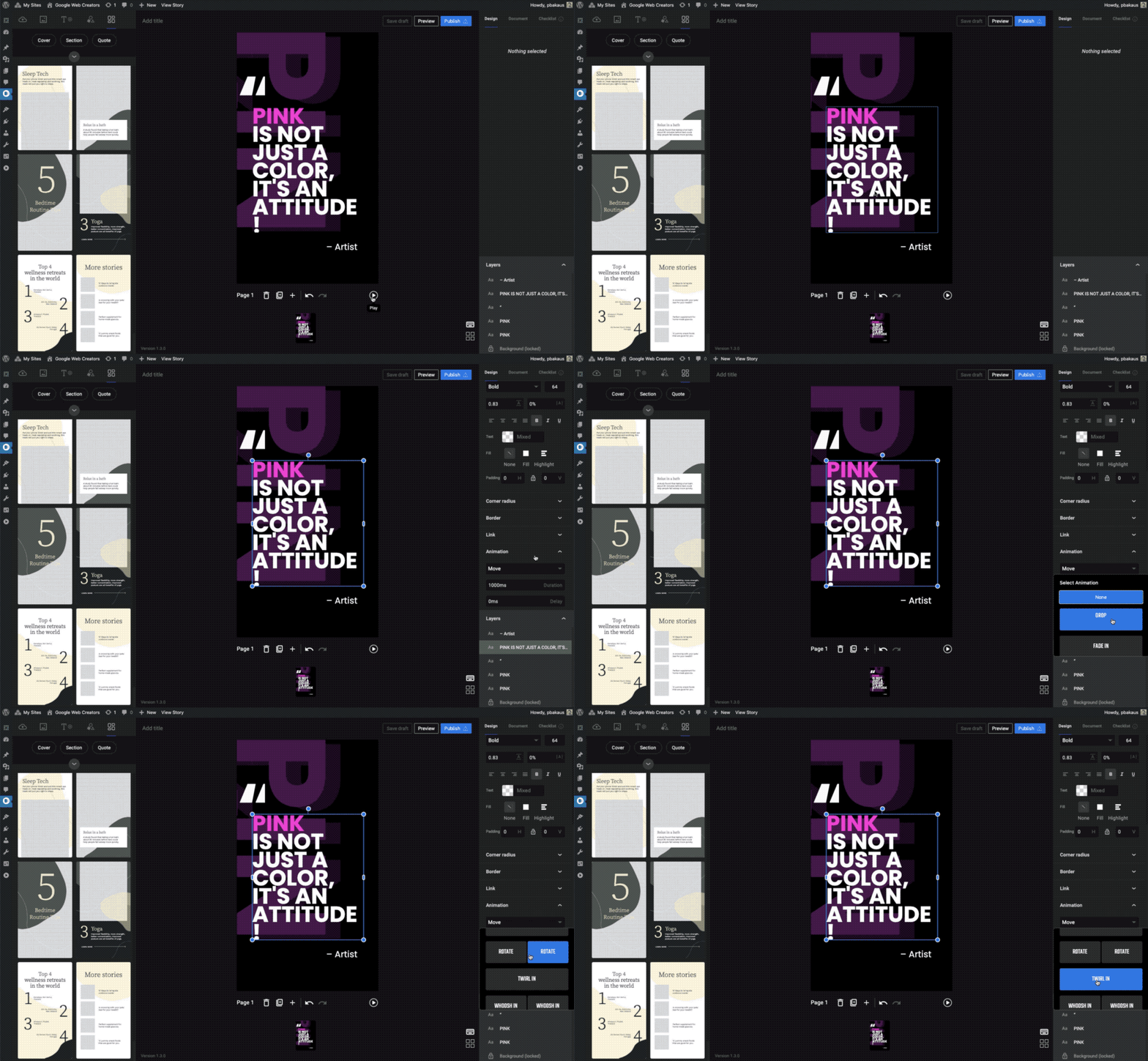
Web Stories is the production part. Although the functions of the plug-in may not be one-tenth of the total, you can feel the team's dedication. It is highly recommended that everyone who manages WordPress websites find time to play.
Case: Internal links increase web page traffic by 7%
The website in this case is a real estate company with about 8,000 "local" pages. These pages are not orphan pages. They have pages from breadcrumbs or other places, but there is no more systematic link between them.
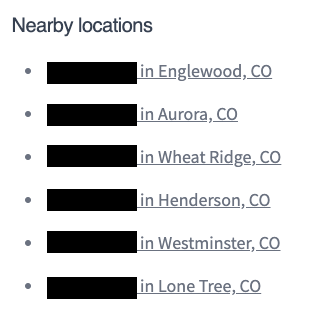
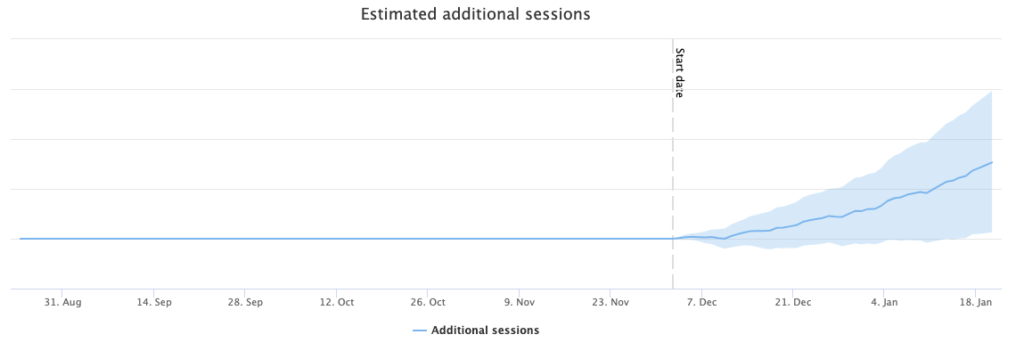
They decided to test "Add a Nearby Locations section to the place page and put an internal link to the place page in the nearby area.". As a result, the natural traffic of the tested group increased by 7% compared with the control group.
link:Complete article
Official Video: 12 Tips and Tips for Image SEO
In this video, John talks about where images will appear on Google searches (images, general results, Discover) and 12 key points for optimizing images, including the following:
- provides context about the image (provide context)
- The image position should be placed near relevant content (optimize placement)
- Important text should not be placed in the image (text on the page, not in image)
- Use image ALT tag (use alt-attribute)
- use high-quality images
- Make high-quality sites
- ensures that images are displayed well on mobile phones and computers (works on mobile and desktop)
- Use good image URLs/file names (good, stable, descriptive URLs)
- provide relevant structured data
- consider large image previews
- use markup for image licensing opportunities
- Consider image loading speed (consider speed)
Although this video is for beginners, it talks about a very important point -Getting images indexed is actually not a goal that webmasters should be too focused on in many cases., you can ask yourself a few questions first, "Do users find your content through visual means?」、「What kind of preview image will make your content more attractive?」、「Are the pictures related to the web content?」。

SEO - Python Scripts finishing
This is a Python resource compiled by foreign netizens. It is placed on the Google Data Studio dashboard. There are currently 99 articles, divided according to difficulty, and also divided by field (NLP, ML, Performance, Crawlability...). Most of the articles also generously share the code directly~
I recommend that you go shopping and find codes that suit your interests or needs to practice. Even if you don’t know Python at all, you can still read the title. Maybe you will be amazed by what Python can do and start learning!

link:SEO Pythonistas Dashboard
recommend oneRecently discovered Python Script, it will go to archive.org to find all the URLs that have been recorded in the past on the specified domain, and then compare it with the results crawled by Screaming Frog to see the broken / orphan pages on the domain, which is very useful for domains with a long history, or after the website has undergone major changes!