When conducting an SEO audit, a website’s 4XX pages are an essential area to examine. One of my standard first steps with a new client is to provide a report showing which links on the site are broken and which pages contain them. This article will show you how to use Screaming Frog, a powerful SEO tool, to find broken links on a website.

If you are familiar with Screaming Frog, you might be thinking, “Wait, don’t you just enter the URL and let it run?” Yes, that is true, but one frequently overlooked issue is the 301 redirect. Sometimes the crawl results show that a link redirects to another page, which then redirects again with a 301 to a 404 page. This is known as a redirect chain, and this kind of 404 page is much less obvious.
If you have never heard of Screaming Frog or are not familiar with it, it is a crawler. Enter a URL (for example, www.darrenhhuang.com), and this little frog follows the links on the site and begins crawling it. It then returns all the data it collects, including each page’s title and description, image alt tags and file sizes, and the server code returned by each outgoing link mentioned above. It is extremely useful. I will introduce the product in a little more detail at the end of the article, and I will write more about its practical applications in future posts.
Introduction
This article uses the website of Taiwan Startup Stadium (http://www.startupstadium.tw/) as an example. There was no special reason for choosing it: I happened to come across the site and really liked what the organization was doing. Of course, if this could also help them fix a few small issues on the site and improve the user experience, that would be even better!Direct 404 Pages
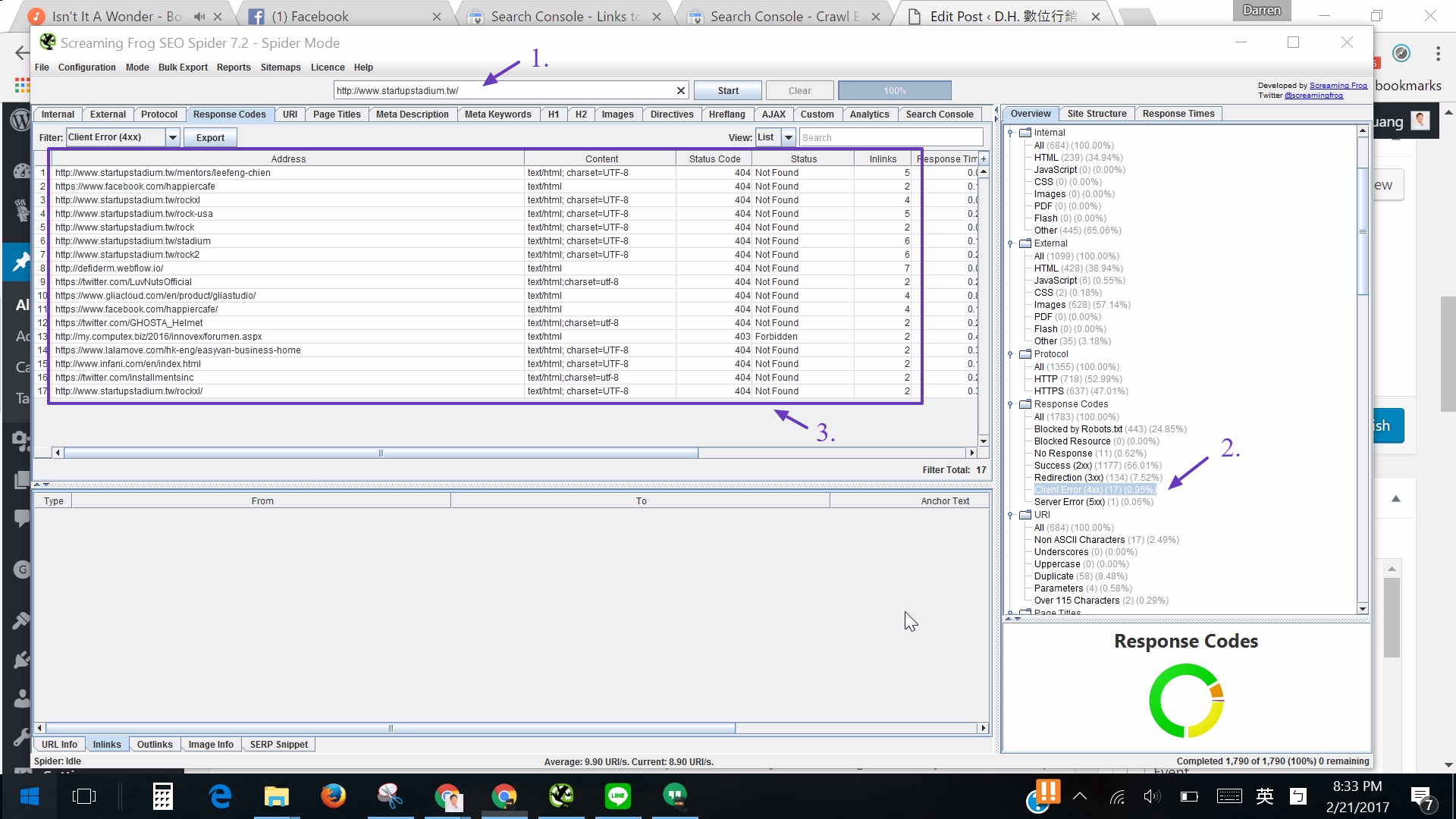
- Enter the website in Screaming Frog and let it crawl.
- On the right, select pages with a Response Code of 4XX. Here, you can see that 17 nonexistent pages were found.
- The URLs of these 17 pages and some other data appear on the left.
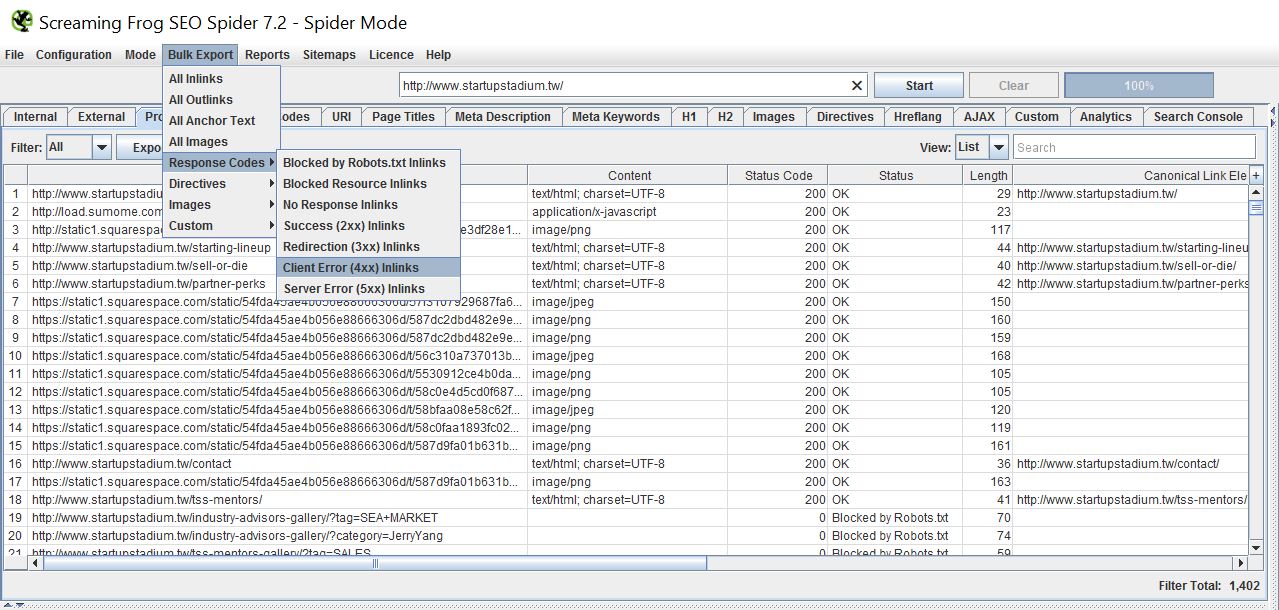
- Next, go to Bulk Export > Response Codes > Client Error (4xx) Inlinks and export “these pages and the pages that link to them.”

- Destination: Tells you which page does not exist.
- Source: Indicates the Startup Stadium page where the link to the nonexistent page was found.
- Type: Identifies the type of link, such as a broken hyperlink (HREF), a missing referenced image (IMG), or another cause.
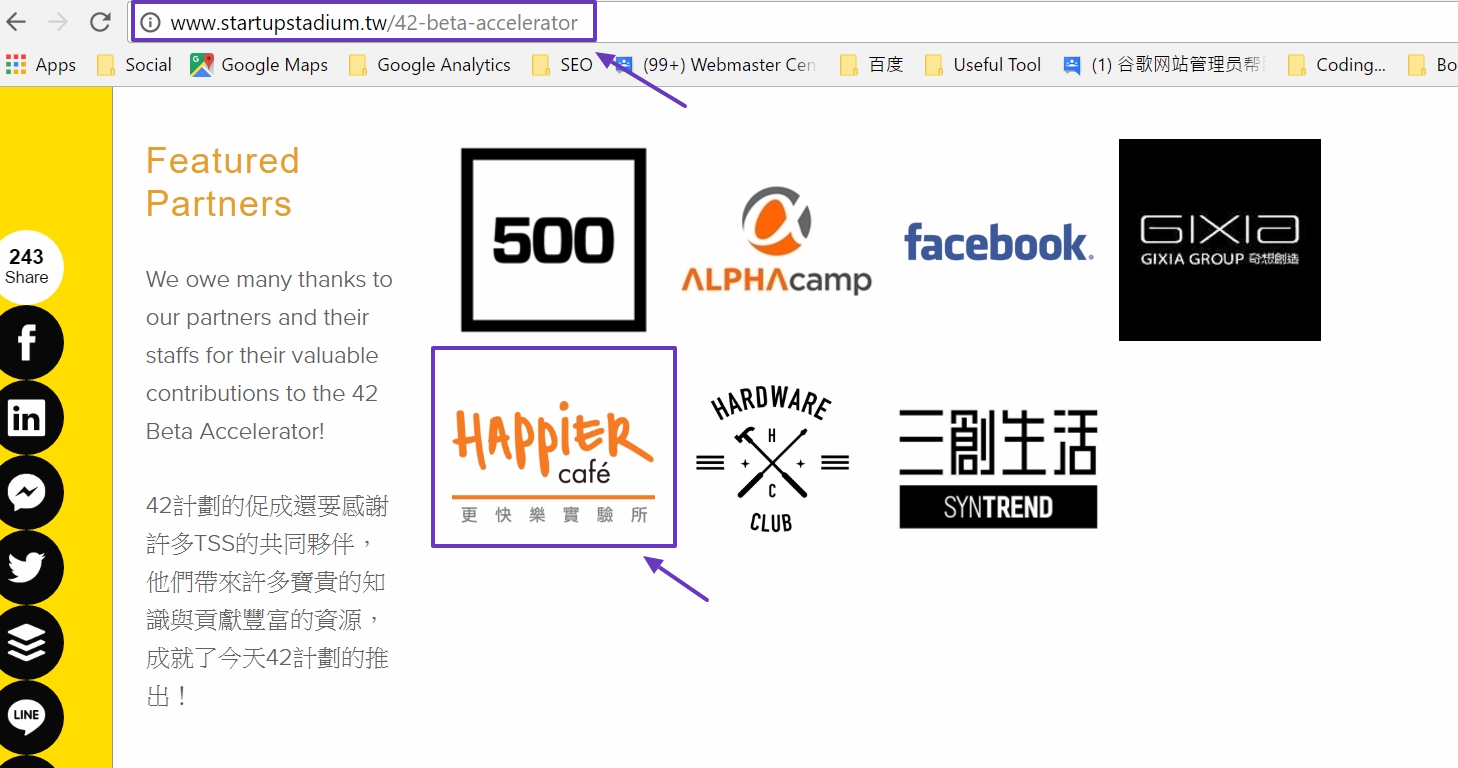
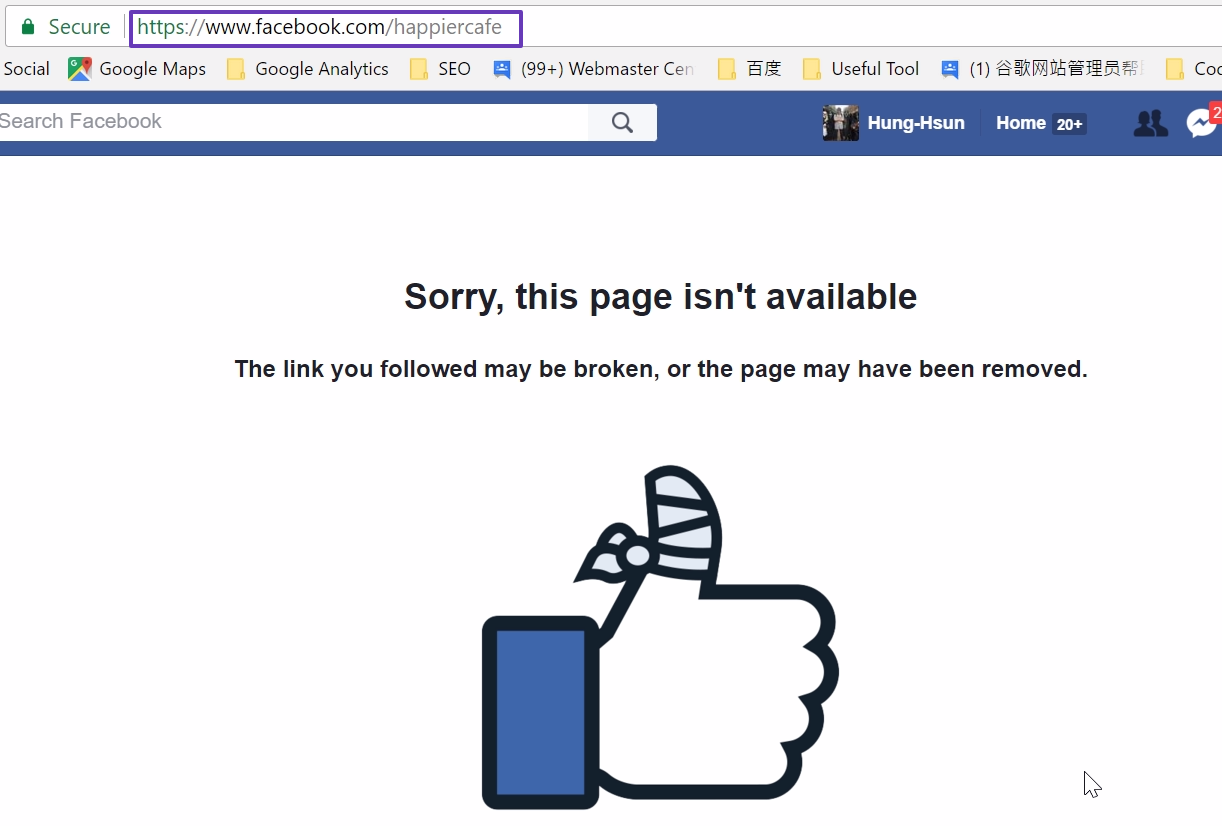
This lets us find and fix broken links on the website!
Indirect 404 Pages (Redirect Chains to 404s)
After finding pages that return a direct 404 error, the next step is to find indirect 404 pages, which are easy to overlook. As mentioned at the beginning of the article, these links are less obvious because crawler tools such as Screaming Frog do not directly report a 4XX server code for them. They only tell you that the links were redirected somewhere else with a 3XX response.Where were they redirected? It could be a page that returns 200, a page that returns 404, or another 301 page that ultimately leads to a 404 page.
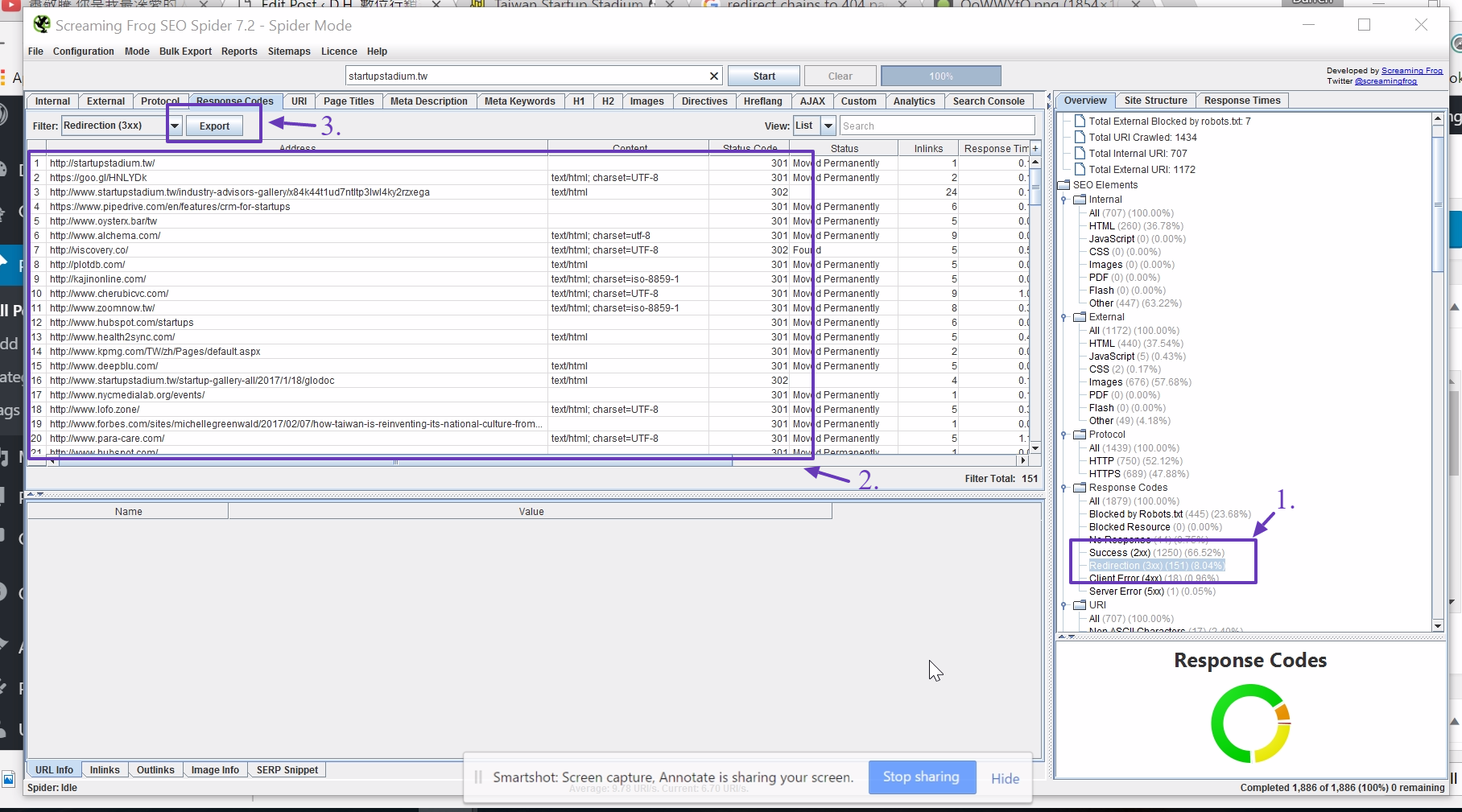
- As before, enter the URL and then select Redirects (3XX) on the right. You can see that there are 151.
- The data for these 151 links that return a 3XX server code appears on the left.
- Next, choose Export at the top to export the data and see where these links redirect.
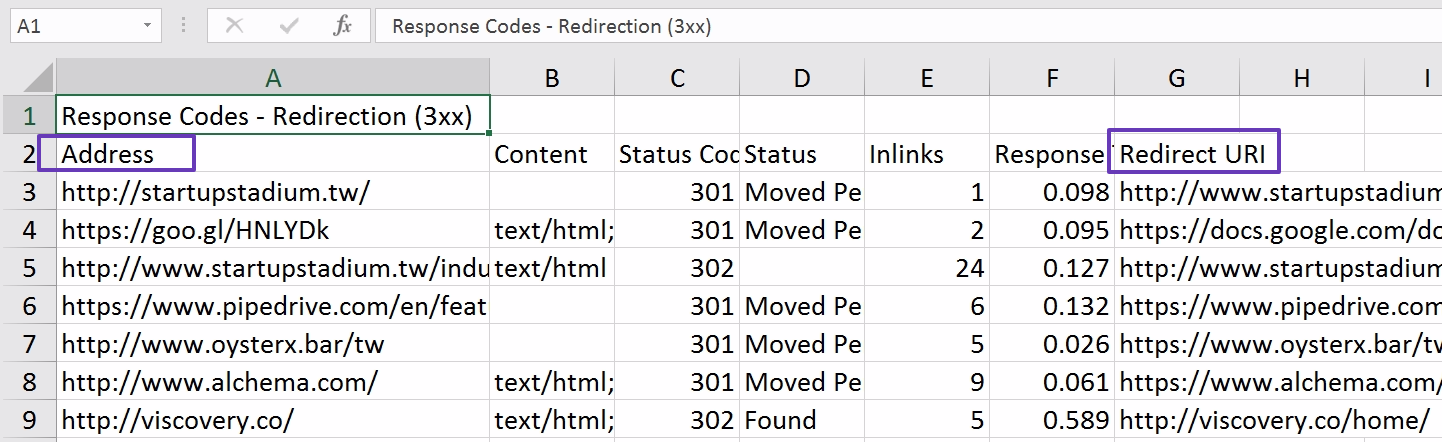
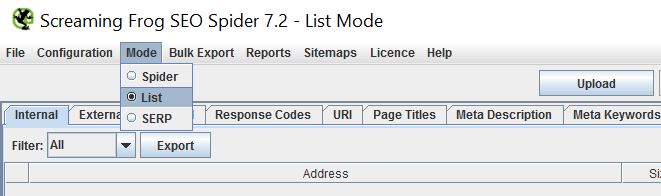
- Select the URLs in column A, return to Screaming Frog, switch the mode to “List Mode,” and paste them in.
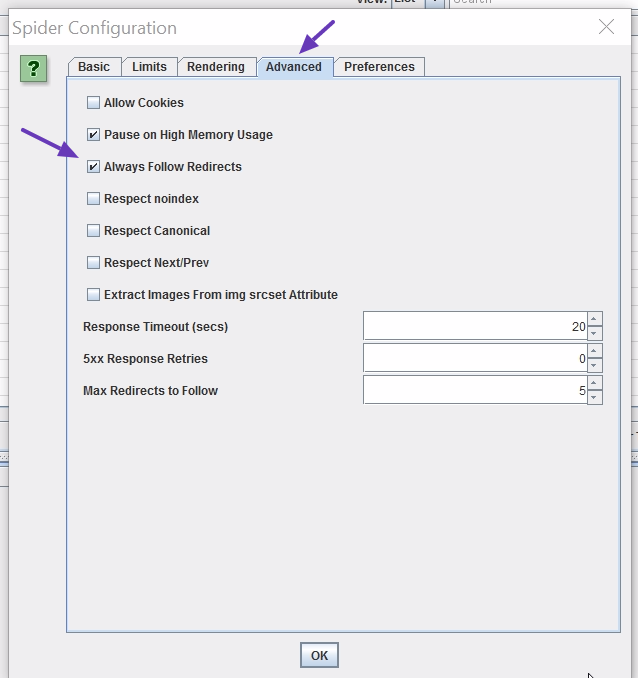
- Go to Configuration->Spider->Advanced->Always Follow Redirects, check the box, and then click Start.
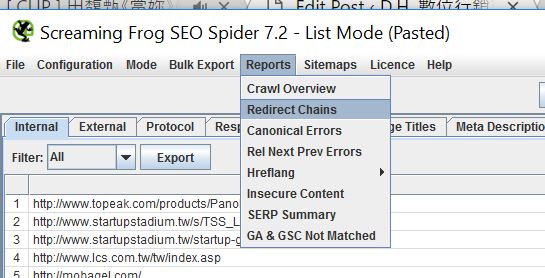
- When the crawl is finished, go to Reports->Redirect Chains and export the spreadsheet.
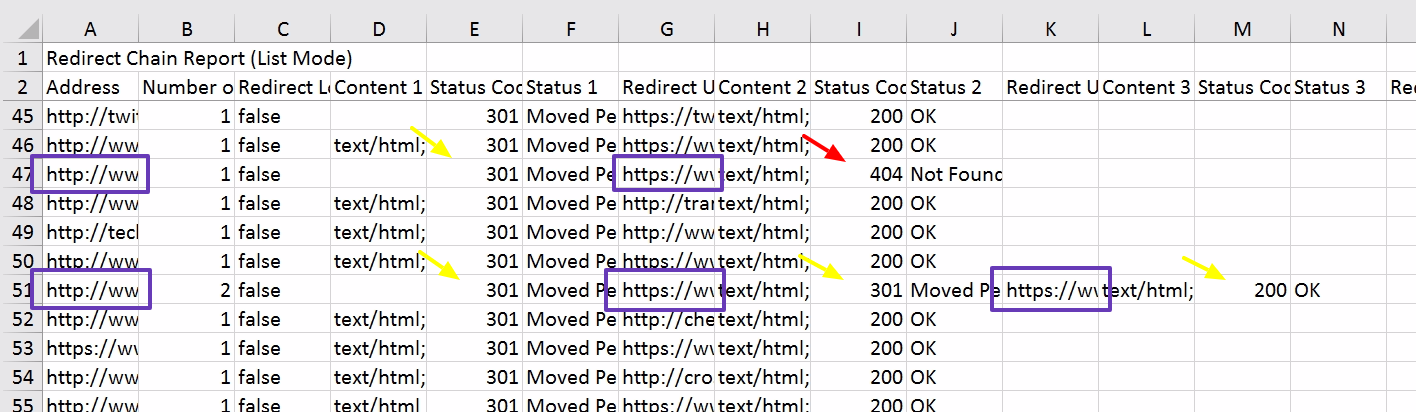
- After exporting, you will see an Excel file like the one below. Here, you can see:
- The link in row 47 redirects with a 301 to another URL that returns 404.
- The link in row 51 redirects with a 301 to another URL, which redirects again with a 301 to a URL that returns 200.
- Finally, cross-reference these results with the data exported in step 3 to identify which 3XX links ultimately lead to 404 pages!
Additional Note 1: Server Codes
This article sometimes uses 4XX and 3XX, and at other times uses 404 and 301. I hope that has not been too confusing! These three-digit numbers are the server codes we receive when requesting a URL from a server:- 200 means everything is working correctly.
- 3XX means a redirect: the URL A that we requested has moved to URL B.
- 4XX means a client-side error: the URL we requested does not exist.
- 5XX means a server-side error: the server was unable to respond to our request.
Additional Note 2: Screaming Frog
This Screaming Frog is a tool that practically everyone in the SEO world knows! The free version can crawl only 500 links, while the paid version costs £149 per year. Besides finding broken links as described in this article, it can also...- Check whether every page on a website has the GA code installed.
- List the metadata for every page, including title, description, canonical, and more.
- Check whether the URLs in a sitemap are correct.
- Check for image files that are too large.
Conclusion
I hope anyone patient enough to finish this very long article learned something! If you have a website but cannot afford Screaming Frog, feel free to leave a comment below~ In exchange, leave your URL and one or two SEO topics you would like to see covered on this blog, and I will gladly spend some time checking your site for broken links!If I do not respond within two days, please email me at [email protected]. Thank you again for reading!
Related reading
15 Common Technical SEO Questions: Turn Checklists into Priorities
compiles a list of technical SEO issues for 2023 and puts things like redirects, image alt text, speed, titles, internal links, and indexing back into the order of actual optimization.
What happens after entering the URL: from Request to Status Code
Use a simplified web page request process to understand how Request Headers, Response Headers and 2XX, 3XX, 4XX, and 5XX status codes describe the results of resources.