This note preserves the original context of the Facebook post. Some tools, interfaces, and external links may have changed.
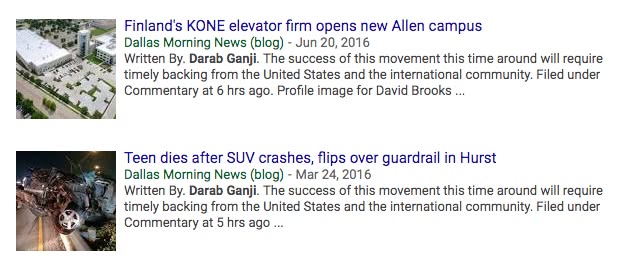

This early post documents an observational case of search result summarization.
The page appeared in the search results with text that looked like author information, but the text of the page did not contain exactly the same sentence. Therefore, it was speculated that Google might piece together summaries from different sections of the page to test user reaction.
This reminds us that meta descriptions are an important suggestion signal, but they don’t necessarily force search engines to display them exactly as they are in every search.
A more robust approach is to have the meta description accurately summarize the content of the page, while ensuring that the title, body text, structured data, and author information are consistent with each other.
This is a case record from 2018 and should not be construed as complete rules for today’s search digest system.
Related reading
SEO e-Newsletter Issue 16 – 2020.09.01~2020.09.15
Google Ads provides less search term data. Chrome v85 may affect the organic traffic records in GA. There is also quite a lot of official data. Welcome to pay attention to the digital engine newsletter!
SEO| Bookmarklets - A practical tool for SEO
After becoming an SEO practitioner, you need to look at the Source Code from time to time and use commands such as "site:" and "cache:" to perform health checks on the website. These steps may not be particularly time-consuming, but if there is a tool that allows you to check the Alt Tag of each image on a webpage with just one click, see the cache of the webpage with just one click, and even see the Title of the page with just one click,
15 Common Technical SEO Questions: Turn Checklists into Priorities
compiles a list of technical SEO issues for 2023 and puts things like redirects, image alt text, speed, titles, internal links, and indexing back into the order of actual optimization.
Page is still not indexed after submission: check the entire site first
Starting from the case of "searched but not yet indexed", we would like to remind you that indexing problems do not necessarily only occur in a single URL, but may also be related to the quality and structure of the entire website.